
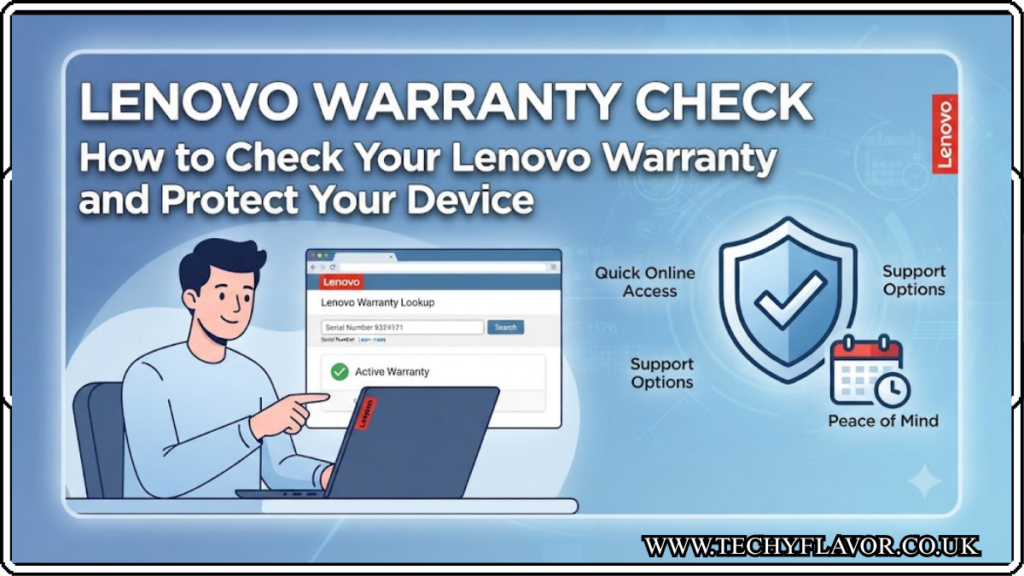

Whether you’ve just bought a new Lenovo laptop or you’ve been using one for several years, knowing your warranty status can save you time, money, and stress. A Lenovo warranty check helps you find out whether your device is still covered for repairs, replacement parts, or technical support before you spend money on unexpected fixes.
Many UK users only think about their warranty after something goes wrong. By then, they may discover their coverage has already expired or that certain repairs aren’t included. Taking a few minutes to perform a Lenovo warranty check can help you understand exactly what protection you have and whether it’s worth extending your warranty.
This guide explains everything you need to know, from checking your warranty online to understanding warranty types, extending coverage, and making a successful warranty claim.
Key Takeaways
- A Lenovo warranty check shows whether your device is still covered.
- You can check your warranty using your serial number.
- Most Lenovo laptops include a limited manufacturer’s warranty.
- Extended warranties provide longer protection and extra services.
- Warranty coverage differs between hardware, batteries, and accessories.
- Keeping proof of purchase can make warranty claims much easier.
- UK customers can also benefit from consumer rights alongside Lenovo’s warranty.
What Is a Lenovo Warranty Check?
A Lenovo warranty check is the process of verifying the warranty status of your Lenovo device. It tells you important information, including:
- Warranty start date
- Warranty expiry date
- Type of warranty included
- Available repair services
- Upgrade or extension options
- Device support eligibility
Rather than guessing whether your laptop is still protected, you can quickly confirm your coverage before arranging repairs.
For students, professionals, businesses and gamers, knowing your warranty status is particularly valuable because laptop repairs can often be expensive.
Why a Lenovo Warranty Check Matters
Many people assume their device is still under warranty simply because it isn’t very old. Unfortunately, that’s not always the case.
A Lenovo warranty check can help you:
- Avoid paying for repairs that are covered
- Prepare for upcoming warranty expiry
- Decide whether to buy an extended warranty
- Confirm support before contacting Lenovo
- Understand what repairs are included
Imagine your laptop screen suddenly develops faults. Without checking your warranty first, you might book an expensive repair when Lenovo would have repaired it free of charge.
That’s why performing a Lenovo warranty check should always be your first step whenever your device develops a problem.
How to Perform a Lenovo Warranty Check
Checking your warranty is straightforward and usually only takes a few minutes.
Find Your Serial Number
Before starting, locate your device’s serial number.
You’ll usually find it:
- On the bottom of your laptop
- Inside the battery compartment (older models)
- On the original product box
- Within Lenovo Vantage
- In your BIOS settings
Every Lenovo device has its own unique serial number.
Visit Lenovo’s Warranty Page
Once you have your serial number:
- Visit Lenovo’s official warranty support page.
- Enter the serial number.
- Complete any verification if requested.
- View your warranty details instantly.
The results typically include:
- Warranty status
- Coverage dates
- Product model
- Service level
- Upgrade options
Performing a Lenovo warranty check online is the quickest and most accurate method.
Using Lenovo Vantage for Warranty Information
Many Lenovo laptops come with Lenovo Vantage already installed.
This free application allows users to:
- View warranty information
- Update drivers
- Check battery health
- Run hardware diagnostics
- Optimise performance
- Contact support
Instead of searching for your serial number manually, Lenovo Vantage often displays warranty information automatically.
For many UK users, this is the easiest way to complete a Lenovo warranty check.
Understanding Different Lenovo Warranty Types
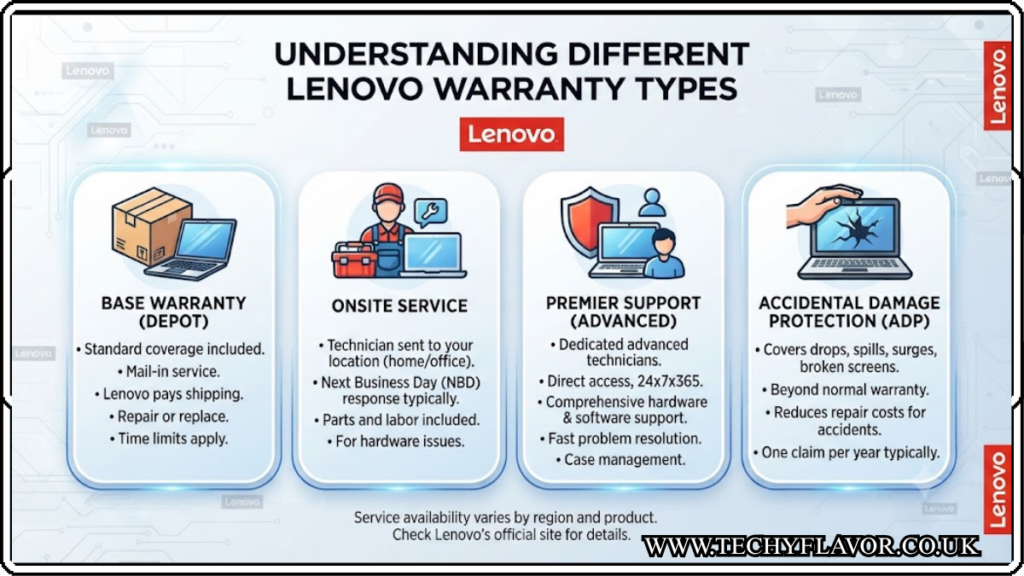
Not every Lenovo warranty offers identical protection.
Here are the most common types.
Standard Limited Warranty
This is included with most new Lenovo devices.
It generally covers:
- Manufacturing defects
- Faulty hardware
- Internal components
- Approved repairs
However, accidental damage is usually excluded.
Premium Support
Premium Support provides additional services such as:
- Faster technical support
- Expert troubleshooting
- Priority repair handling
- Remote assistance
This option is especially popular with professionals who rely on their laptops daily.
Accidental Damage Protection
Life happens.
Coffee spills.
Dropped laptops.
Unexpected knocks.
Accidental Damage Protection covers incidents that standard warranties usually don’t.
For families and students, this can provide excellent peace of mind.
Extended Warranty
An extended warranty simply increases your coverage period.
Instead of ending after one year, protection may continue for two, three or even more years depending on the plan purchased.
What Does a Lenovo Warranty Usually Cover?
After completing your Lenovo warranty check, you’ll want to understand exactly what is included.
Typical coverage includes:
- Motherboard failures
- Processor issues
- Memory faults
- Display defects caused by manufacturing problems
- Keyboard failures
- Internal hardware defects
- Factory-installed components
Coverage depends on the warranty plan attached to your specific device.
What Isn’t Usually Covered?
Many warranty claims are rejected because the damage falls outside the warranty terms.
Common exclusions include:
- Accidental damage
- Water damage
- Cosmetic scratches
- Theft
- Fire damage
- User modifications
- Unauthorised repairs
- Damage caused by misuse
Reading your warranty details after completing a Lenovo warranty check helps avoid unpleasant surprises.
How Long Does Lenovo Warranty Last?
The answer depends on your product.
Most consumer laptops include:
- One-year limited warranty
- Some premium models include longer coverage
- Business devices often have additional support options
Accessories may have completely different warranty periods.
That’s why checking your individual device remains important.
A Lenovo warranty check provides the exact expiry date rather than relying on estimates.
Can You Extend Your Lenovo Warranty?
If your warranty is close to expiring, you may be able to purchase an extension. This can be a smart investment if you rely on your laptop for work, university, or everyday use.
Benefits of extending your warranty include:
- Longer protection against hardware failures
- Access to authorised Lenovo repair services
- Reduced repair costs
- Greater peace of mind
- Optional upgrades such as Accidental Damage Protection and Premium Support
Before purchasing an extension, perform a Lenovo warranty check to confirm your current coverage and see which upgrade options are available for your device.
What to Do If Your Warranty Has Expired
An expired warranty doesn’t necessarily mean you’re out of options.
You can:
- Pay for an out-of-warranty repair through Lenovo.
- Visit an authorised Lenovo service centre.
- Purchase eligible post-warranty support plans if available.
- Compare repair costs before deciding whether to repair or replace your laptop.
If your device is only just outside its warranty period, it’s still worth contacting Lenovo support. In some situations, they may offer guidance or repair options depending on the issue.
Tips for a Successful Warranty Claim
Making a warranty claim is usually straightforward if you’re prepared.
Follow these tips:
Keep Your Proof of Purchase
Although Lenovo can often identify warranty status using the serial number, having your purchase receipt helps if there are any discrepancies.
Back Up Your Data
Before sending your laptop for repair, back up important files. Hardware repairs can sometimes require storage replacement or a system reset.
Describe the Problem Clearly
Provide a detailed explanation of the issue, including when it started and any troubleshooting you’ve already tried. Clear information can speed up the repair process.
Avoid Unauthorised Repairs
Opening the laptop or using an unauthorised repair shop may void parts of your warranty. Always check your coverage before attempting repairs yourself.
Record Your Device Details
Keep a note of your laptop’s serial number, model number, and warranty information. This makes future support requests much quicker.
Common Problems Covered Under Warranty
Many hardware issues may qualify for repair if they result from manufacturing defects.
Examples include:
- Laptop not powering on
- Faulty motherboard
- Defective keyboard keys
- Screen flickering caused by hardware failure
- Touchpad malfunction
- Internal fan failure
- Faulty charging port
- Speaker defects
Running a Lenovo warranty check before arranging repairs helps confirm whether these issues are covered under your specific warranty.
Common Issues That Usually Aren’t Covered
Some problems fall outside standard warranty protection.
These often include:
- Cracked screens caused by dropping the laptop
- Liquid spills
- Physical dents or impact damage
- Wear and tear from normal use
- Battery capacity reduction over time
- Virus infections
- Software installed by the user
- Damage caused by power surges or improper use
If you purchased Accidental Damage Protection, some of these situations may still be covered.
Lenovo Warranty vs UK Consumer Rights
A manufacturer’s warranty is different from your legal rights under UK consumer law.
Even if your Lenovo warranty has expired, you may still have protection if the product was faulty when sold or did not last a reasonable amount of time. Your rights under the Consumer Rights Act may apply depending on the circumstances and where you purchased the device.
If you’re unsure, contact the retailer first before paying for repairs.
Best Practices for Protecting Your Lenovo Laptop
A warranty is helpful, but preventing damage is even better.
Here are a few simple ways to keep your device in excellent condition:
- Use a padded laptop sleeve during travel.
- Keep liquids away from your workspace.
- Clean air vents regularly to prevent overheating.
- Install Lenovo driver and BIOS updates.
- Avoid blocking ventilation while using the laptop.
- Charge the battery correctly and avoid excessive heat.
- Transport your laptop carefully to prevent accidental drops.
Regular maintenance can reduce the likelihood of hardware issues and help your laptop last for many years.
Conclusion
A Lenovo warranty check is one of the simplest yet most valuable things every Lenovo owner should do. In just a few minutes, you can confirm your warranty status, understand what your device is covered for, and avoid unnecessary repair costs.
Whether you’re using your laptop for work, study, gaming, or everyday browsing, knowing your warranty details gives you confidence if something goes wrong. If your coverage is nearing its end, consider extending it for added peace of mind—especially if your laptop is still performing well and you plan to keep using it.
By carrying out a Lenovo warranty check regularly, keeping your proof of purchase safe, and looking after your device properly, you’ll be in the best position to get the most from your Lenovo laptop for years to come.
FAQ
Can I perform a Lenovo warranty check without a receipt?
Yes. In most cases, you only need your laptop’s serial number to check the warranty status online. A receipt may still be useful if warranty dates need verifying.
How do I find my Lenovo laptop’s serial number?
Look on the bottom of the laptop first. You can also find it in Lenovo Vantage, your BIOS settings, or on the original product packaging.
Does a Lenovo warranty cover accidental damage?
Usually not. Standard warranties cover manufacturing defects, while accidental damage requires a separate protection plan.
Can I extend my Lenovo warranty after purchase?
Yes, in many cases. Lenovo offers warranty extension options for eligible devices before or sometimes shortly after the original warranty expires.
How often should I perform a Lenovo warranty check?
Whenever needed. It’s a good idea to check before requesting repairs, purchasing an extended warranty, or buying a second-hand Lenovo device.
Read More Blog: